This time, success: Flask-on-AWS tutorial (with advanced use of virtualenv)

Last time I tried this, I ended up semi-deliberately choosing to use Python 3 for a tutorial (I didn’t realize quickly enough) was built around Python 2.

After cleaning up my experiment I remembered that the default python on my MacBook was still python 2.7.10, which gave me the idea I might be able to re-run that tutorial with all-Python 2 dependencies.  Or so it seemed.

Strangely, the first step both went better and no better than last time:

Mac4Mike:flask-aws-tutorial mike$ virtualenv flask-aws
Using base prefix '/usr/local/Cellar/python3/3.5.2_3/Frameworks/Python.framework/Versions/3.5'
New python executable in /Users/mike/code/flask-aws-tutorial/flask-aws/bin/python3.5
Also creating executable in /Users/mike/code/flask-aws-tutorial/flask-aws/bin/python
Installing setuptools, pip, wheel...done.

Yes it didn’t throw any errors, but no it didn’t use the base Python 2 that I’d hoped.  Somehow the fact that I’ve installed Python 3 on my system is still getting picked up by virtualenv, so I needed to dig further into how virtualenv can be used to truly insulate from Python 3.

Found a decent article here that gave me hope, and even though they punted to using the virtualenvwrapper scripts, it still clued me in to the virtualenv parameter “-p”, so this seemed to work like a charm:

Mac4Mike:flask-aws-tutorial mike$ virtualenv flask-aws -p /usr/bin/python
Running virtualenv with interpreter /usr/bin/python
New python executable in /Users/mike/code/flask-aws-tutorial/flask-aws/bin/python
Installing setuptools, pip, wheel...done.

This time?  The requirements install worked like a charm:

Successfully installed Flask-0.10.1 Flask-SQLAlchemy-2.0 Flask-WTF-0.10.3 Jinja2-2.7.3 MarkupSafe-0.23 PyMySQL-0.6.3 SQLAlchemy-0.9.8 WTForms-2.0.1 Werkzeug-0.9.6 argparse-1.2.1 boto-2.28.0 itsdangerous-0.24 newrelic-2.74.0.54

Then (since I still had all the config in place), I ran pip install awsebcli and skipped all the way to the bottom of the tutorial and tried eb deploy:

INFO: Deploying new version to instance(s).                         
ERROR: Your requirements.txt is invalid. Snapshot your logs for details.
ERROR: [Instance: i-01b45c4d01c070555] Command failed on instance. Return code: 1 Output: (TRUNCATED)...)
  File "/usr/lib64/python2.7/subprocess.py", line 541, in check_call
    raise CalledProcessError(retcode, cmd)
CalledProcessError: Command '/opt/python/run/venv/bin/pip install -r /opt/python/ondeck/app/requirements.txt' returned non-zero exit status 1. 
Hook /opt/elasticbeanstalk/hooks/appdeploy/pre/03deploy.py failed. For more detail, check /var/log/eb-activity.log using console or EB CLI.
INFO: Command execution completed on all instances. Summary: [Successful: 0, Failed: 1].
ERROR: Unsuccessful command execution on instance id(s) 'i-01b45c4d01c070555'. Aborting the operation.
ERROR: Failed to deploy application.

This kept barfing over and over until I remembered that the target environment was still configured for Python 3.4.  Fortunately or not, you can’t change major versions of the platform – so back to eb init I go (with the -i parameter to re-initialize).

This time around?  The command eb deploy worked like a charm.

Lesson: be *very* explicit about your Python versions when messing with someone else’s code.  [Duh.]

Highlights from latest Lean Coffee

A lively crowd around the table at last Sunday’s Lean Coffee session, and fresh faces to the discussion (thank you to Scott for inviting your colleagues, and to all for coming out).

There’s no way I can do justice to the breadth and depth of the discussion, so I’m just going to mention those things I wrote down on sticky notes to myself – the things that I thought, “Boy, I should get this tattooed on myself somewhere”:

  • Don’t Automate Waste – a killer principle from the Lean camp that Dan Walsh graced us with, it speaks to the tension of not optimizing early, and to my instinct not to assume you have the solution without experimentation
  • “Agile/Scrum is a Problem Discovery Framework, not a Project Management Methodology” – courtesy of Scott Henderson, every word here lends subtle meaning to the mental shift it encourages
  • Lean Coffee has been used successfully in at least two settings I haven’t tried – as the basis for both the Retrospective and Brainstorming sessions (which helps get ideas on the table that might be ‘swallowed’ by the time attention comes around to the less-confident individual)
  • Code 46 and Sully were the two movies that came up in conversation, so off to Netflix I go

2016-12-04 11.59.58.jpg

I posed a question to the group which came back with some great thoughts: “how to workaround a situation [which I’ve observed at many software companies] where the testing infrastructure/coverage isn’t reliable, and there’s no quick route to addressing that?”

  1. Ensure that you at least have Unit Tests included in the Definition of Done
  2. Try an experiment where for a single sprint, the team only works on writing unit tests – when this was tried at one organization, it surprised everyone how much progress and coverage could truly be made
  3. Try a regular “Game Day” exercise – run tabletop simulation of a production bug that takes out one or more of your customer-facing services.  This identifies not only who must be involved, but also how long it can take to execute corrective action once identified, and ultimately can result in significant time savings by making upstream changes in product/devops.
  4. Run an occasional discussion at Retrospective to ask “what’s the worst thing we could do to the product?”  This can uncover issues and concerns that otherwise go unspoken by folks who are worried about retribution or downplaying.
  5. And the most obvious, start out future sprints by planning tests up front (either via TDD or manually between QA and Dev)

Occupied Neurons, November edition (late)

Docker In Production: a History of Failure

A cautionary tale to counter some of the newbie hype around the new Infrastructure Jesus that is Docker. I’ve fallen prey to the hype as well, assuming that (a)Docker is ready for prime time, (b) Docker is universally beneficial for all workloads and (c) Docker is measurably superior to the infrastructure design patterns that it intends to replace.

That said, the article is long on complaints, and doesn’t attempt to back its claims with data, third-party verification or unemotional hyperbole. I’m sure we’ll see many counter-articles claiming “it works for me”, “I never saw these kinds of problems” and “what’s this guy’s agenda?”  I’ll still pay attention to commentary like this, because it reads to me like the brain dump of a person exhausted from chasing their tail all year trying to find a tech combo that they can just put in production and not devote unwarranted levels of monitoring and maintenance to. I think their expectations aren’t unreasonable. It sure sounds like the Docker team are more ambitious or cavalier than their position and staffing levels warrant.

Wat

This is one of the most hilarious and horrifying expeditions into the dark corners of (un?)intended consequences in coding languages.  Watching this made me feel like I’m more versed in the lessons of the absurd “stupid pet tricks” with many languages, even if I’d never use 99% of these in real life.  It also made me feel like “did someone deliberately allow these in the language design, or did some nearly-insane persons just end up naturally stumbling on these while trying to make the language do things it should never have done?”

Is Agile dying a slow death?  Or is it being reborn?

This guy captures all my attitudes about “Agile according to the rules” versus “getting an organization tuned to collaborate and learn as fast as possible”.  While extra/unnecessary process makes us feel like we have guard rails to keep people from making mistakes, in my experience what it *actually* does it drive DISengagement and risk aversion in most employees, knowing that unless they have explicit permission to break the rules, their great new idea is likely to attract organizational antibodies.

Stanford’s password policy shuns one-size-fits-all security

This is better than a Bigfoot sighting! An actual organization who’ve thought about security risk vs punishing anti-usability and come up with an approach that should satisfy both campaigns! This UX-in-security bigot can finally die a happy man.

A famed hacker is grading thousands of programs – and may revolutionise software in the process

May not get to the really grotty code security issues that are biting us some days, and probably giving a few CIOs a false sense of security.  Controversial?  Yes.

A necessary next step as software grows up as an engineering discipline? Absolutely.

Let’s see many more security geeks meeting the software developer where they live, and stop expecting em to voluntarily become part-time security experts just because someone came up with another terrific Hollywood Security Theater plot.

A Rebuttal for Python 3

Why are some old-school Pythonistas so damned pissy about Python 3 – to the point of (in at least one egregiously dishonest case) writing long articles trying to dissuade others from using it? Are they still butthurt at Guido for making breaking changes that don’t allow them to run their old Python 2 code on the Python 3 runtime? Do they not like change? Are they aware that humans are imperfect and sometimes have to admit mistakes/try something different? I find it fascinating to watch these kinds of holy wars – it gives the best kinds of insights into what frailties and hot buttons really motivate people.

The best quote’s in the comments: “Wow, I haven’t seen this much bullshit in a “technical” article in a while. A Donald Trump transcript is more honest and informative than that. I seriously doubt Zed Shaw himself believes a single paragraph there; if he actually does, he should stop acting like a Python expert and admit he’s an idiot.”

How The Web Became Unreadable

It’s painful to see some designers slavishly devote their efforts more to the third hand fashion they hear about from other designers, than to the end users of the sites and services to which they deliver their designs. I love a lot of the design work that’s come out the last few years – the jumbled mess that was web design ten years ago was painful – but the practical implications of how that design is consumed in the wild must be paramount.  And it is where I am the final decision maker on shipping software.

Occupied Neurons, October edition

Melinda Gates Asked For Ideas to Help Women in Tech: Here They Are

https://backchannel.com/an-open-letter-to-melinda-gates-7c40d8696b63#
I am psyched that a powerhouse like Gates is taking up the cause, and I sincerely hope she reads this (and many other) articles to get a sense of the breadth of the problem (and how few working solutions there are).  The overlap with race, the attempts to bring more women into classrooms, the tech industry bias towards the elite schools and companies (and not the wealth of other experiences). It’s a target-rich environment to solve.

Building a Psychologically Safe Workplace: Amy Edmondson at TEDxHGSE

https://m.youtube.com/watch?feature=youtu.be&v=LhoLuui9gX8

I am super-pleased to see that the concept of Psychological Safety is gaining traction in the circles and organizations I’m hanging with these days.  I spend an inordinate amount of time in my work making sure that my teammates and colleagues feel like it’s OK to make a mistake, to own up to dead ends and unknowns, and will sure make the work easier when I’m not the only one fighting the tide of mistrust/worry/fear that creates an environment where learning/risks/mistakes are being discouraged.

Three Books That Influenced CorgiBytes Culture

http://corgibytes.com/blog/2016/09/15/three-influential-books/

Andrea and Scott are two people who have profoundly changed my outlook on what’s possible to bring to the workplace, and how to make a workplace that truly fits what you want (and sometimes need) it to be. Talking about empathy as a first-class citizen, bringing actual balance to the day and the communications, and treating your co-workers better than we treat ourselves – and doing it in a fun line of business with real, deep impact for individual customers.

This is the kind of organization that I could see myself in. And which would draw in the kinds of people I enjoy working with each day.

So after meeting them earlier this year in Portland, I’ve followed their adventures via their blog and twitter accounts. This article is another nuanced look at what has shaped their workplace, and I sincerely hope I can do likewise someday.

Reducing Visual Noise for a Better User Experience

https://medium.com/@alitorbati/reducing-visual-noise-for-a-better-user-experience-ae3407ff9c99

View at Medium.com

These days I find myself apprehensively clicking on Design articles on Medium.  While there’s great design thinking being discussed out there, I seem to be a magnet for finding the ones that complain why users/managers/businesses don’t “get it”.

As I’d hoped, this was an honest and detailed discussion of the inevitable design overload that creeps into most “living products”, and the factors that drove them to improve the impact for non-expert users.

(I am personally most interested in improving the non-expert users’ experience – experts and enthusiasts will always figure out a way to make shit work, even if they don’t like having to beat down a new door; the folks I care to feed are those who don’t have the energy/time/inclination/personality for figuring out something that should be obvious but isn’t.  Give me affordances, not a learning experience e.g. when you’ve got clickable/tappable controls on your page, give me lines/shadows/shading to signify “this isn’t just text”, not just subtle whitespace that cues the well-trained UI designer that there’s a button around that otherwise-identically-styled text.

Lean Coffee September insights report

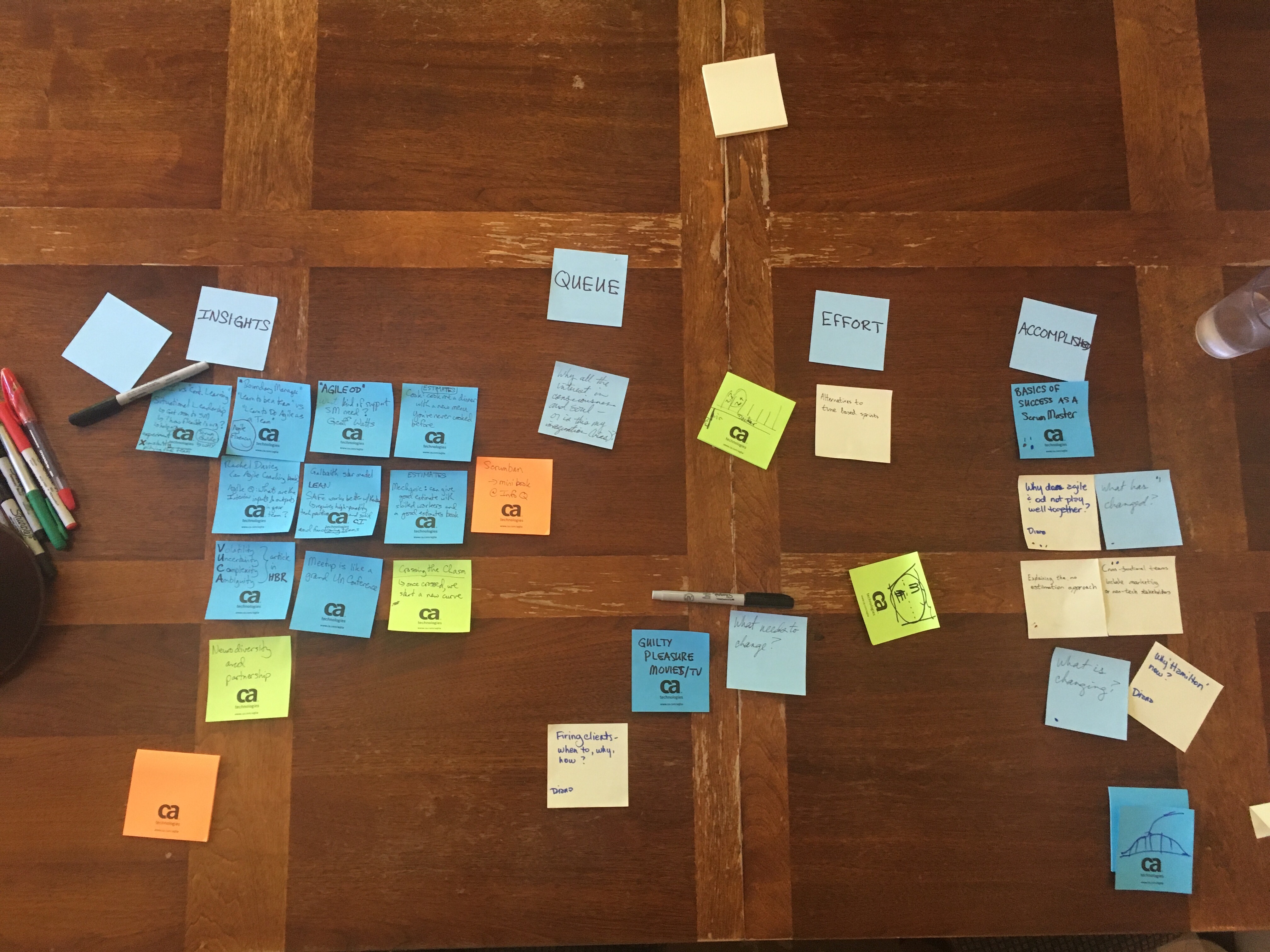
That’s our Sunday morning Lean Coffee practice. Here’s where we landed after a good 1.5-ish hours of structured-and-friendly conversation.

 On the subject of landing a job as a Scrum Master

  • You must be very familiar with the SCRUM Guide, and especially the “Why” behind each practice – so that you can address real questions about when you’ll recommend a practice and when you’ll recommend evolving past it
  • Should be very comfortable with trying new things AS EXPERIMENTS
  • Must avoid “always pitying the SCRUM team” at the expense of the overall business goals, or else business will hamstring your influence and bypass your role
  • Relies heavily on Situational Leadership abilities
  • Starts with CI, graduate to Continuous Learning

On the subject of what’s changed and what is changing

  • According to our discussion of Crossing the Chasm, once those beyond the chasm start adopting, then rather than chasing the downward slope, you should chase a new curve starting from the other side of the chasm
  • We’re seeing signs that other non-software disciplines are adopting Agile practices eg. Marketing functions, DevOps
  • Perhaps we’re merely waiting for the rest of the org to catch up to those of us who are post-Agile and delivering continuously
  • The VUCA model (Volatility, Uncertainty, Complexity, Ambiguity) made it into a Harvard Business Review article
  • Neurodiversity is getting broader consciousness

 On the subject of creating success as a Scrum Master

  • The basic SM is a “boundary manager”
  • They’re there not only to help the team “learn to be a team” and more to help the team “learn how to be Agile as a team”
  • They’re there to work with the team and enable them to determine what process solutions to try, rather than dictate or even “guide” the team to specific outcomes
  • Tip: should be very familiar with the Agile Fluency model
  • When interviewing for a SM role, an insightful question is to ask what are the inputs and outputs of the engineering team?
  • Geoff Watts published an article asking What kind of support a Scrum Master would need?

On the subject of no estimates

  • Analogy of a cook: asking for precise estimates is like asking them to cook a dinner with a menu they’ve never cooked before
  • Analogy of car mechanic: they can only give predictable, tight estimated of when the repair will be completed for operations they’ve already done before (enough time to have codified the standard timeframe) and with mechanics who are highly experienced

Miscellaneous Insights

  • Meetup (as in the collection of fluid communities) is like a grand ongoing Un-Conference – people announcing a topic they’d like to talk about, those who wish to attend come, people obeying the law of two feet as the meetup’s theme no longer keep their attention
  • Check out Rachel Davies’ Agile Coaching book
  • There’s growing insight that SAFe can find better flow mechanics across the portfolio if it uses Kanban rather than SCRUM – but that a prerequisite is that the teams must already have in place high-quality technical practices (eg. low big output, continuous integration, short distance from idea to value) and functioning teams before Kanban at scale will create consistent results
  • Book: check out the free mini-book on Scrumban by Henrik Kniberg

See you there next time (if you’re lucky).

The Yahoo Hack: Protect Yourself, PLEASE

http://money.cnn.com/2016/09/22/technology/yahoo-data-breach/

password-acquired

If you have a Yahoo account (you probably do, by these numbers), first go change the identical password on other sites (you probably re-used the password between Yahoo and some other sites)…

AND be prepared to change the answers to (and maybe even questions of, if you often use the same ones) your security questions [the ones used to help you – OR A HACKER – reset a forgotten password] on any sites with answers in common.  Please, these responses that you’ve typed in – if accurate, and used on many sites – are not only a great way for someone who gets your password on one site, to then dig into those answers and reset your password (even one you never used elsewhere) on another site.

Focus first on your primary email address (because that’s often the most valuable – since it’s where all password resets get sent, right?), and then on your financial accounts (even those with two-factor authentication – let’s not let them drain our savings just because we were a bit lazy).

Then consider whether any of your other online accounts have real value to you if you permanently or even temporarily lost control of them. e.g. Twitter/Instagram/Tumblr/Wordpress, if you have a public presence that has helped build your reputation.

Then go get yourself a password manager (see some reviews here and here). I adopted 1Password three years ago (mostly because I prefer good UX over infinite configurability), and now I don’t care how ridiculous my random passwords are, and I intentionally provide random/hilarious (at least to me) misinformation in my security questions (because I just write these misinfos down in my password manager in the Notes field for each site).

Then reset the rest of your passwords on sites where you used the same one as your Yahoo account(s).

Sorry this was so long. But a breach like this hits lots of people and opens them up to a LOT of malicious activity across much of their digital life.  You may not be that attractive a target, but I bet your financial accounts are.

Occupied Neurons, late September edition

Modern Agile (Agile 2016 keynote)

https://www.infoq.com/news/2016/08/agile2016-modern-agile

This call out for advancement of Agile beyond 2001 and beyond the fossilization of process and “scale” is refreshing. It resonates with me in ways few other discussions of “is there Agile beyond SCRUM?” have inspired – because it provides an answer upon which we can stand up actual debate, refinement and objective experiments.

While I’m sure there are those who would wish to quibble of perfecting these new principles before committing to their underlying momentum, I for one am happy to accept this as an evolutionary stage beyond Agile Manifesto and use it to further my teams and my own evolution.

Forget Technical Debt – Here’s How to Build Technical Wealth

http://firstround.com/review/forget-technical-debt-heres-how-to-build-technical-wealth

I had the pleasure of meeting and talking with (mostly listening and learning intently on my part) Andrea Goulet at .NET Fringe 2016 conference. Andrea is a refreshing leader in software development because she leads not only through craftsmanship but also communication as key tenet of success with her customers.

Andrea advances the term “software remodelling” to properly focus the work that deals with Technical Debt. Rather than approach the TD as a failing, looking at it “as a natural outgrowth of occupying and using the software” draws heavily and well on the analogy of remodelling your/a home.

Frequent Password Changes Are The Enemy of Security

http://arstechnica.com/security/2016/08/frequent-password-changes-are-the-enemy-of-security-ftc-technologist-says/

After a decade or more of participating in the constant ground battle of information security, it became clear to me that the threat models and state of the art in information warfare has changed drastically; the defenses have been slow to catch up.

One of the vestigial tails of 20th-century information security is the dogmatically-proscribed “scheduled password change”.

The idea back then was that we had so few ways of knowing whether someone was exploiting an active, privileged user account, and we only had single-factor (password) authentication as a means of protecting that digital privilege on a system, that it seemed reasonable to force everyone to change passwords on a frequent, scheduled basis. So that, if an attacker somehow found your password (such as on a sticky note by your keyboard), *eventually* they would lose such access because they wouldn’t know your new password.

So many problems with this – for example:

  • Password increments – so many of us with multiple frequently-rotating passwords just tack on an increment img number to the end of the last password when forced to change – not terribly secure, but the only tolerable defense when forced to deal with this unnecessary burden
  • APTs and password databases – most password theft these days don’t come from random guessing, it comes from hackers either getting access to the entire database at the server, or persistent malware on your computer/phone/tablet or public devices like wifi hardware that MITM’s your password as you send it to the server
  • Malware re-infections – changing your password is only good if it isn’t as easy to steal it *after* the change as it was *before* the change – not a lot of point in changing passwords when you can get attacked just as easily (and attackers are always coming up with new zero-days to get you)

I was one of the evil dudes who reflexively recommended this measure to every organization everywhere. I apologize for perpetuating this mythology.

What I’ve learned: setting up Bash/Ubuntu/Win10 for Ansible + Vagrant + VirtualBox

My Goal: test the use of this Ansible Role from Windows 10, using a combination of Windows and Bash for Ubuntu on Windows 10 tools.  Favour the *nix tools wherever possible, for maximum compatibility with the all-Linux production environment.

Preconditions

Here is the software/shell arrangement that worked for me in my Win10 box:

  • Runs in Windows: Virtualbox, Vagrant
  • Runs in Bash/Ubuntu: Ansible (in part because of this)

In this setup, I’m using a single Virtualbox VM in default network configuration, whereby Vagrant ends up reporting the host listening on 127.0.0.1 and SSH listening on TCP port 2222.  Substitute your actual values as required.

Also note the versions of software I’m currently running:

  • Windows 10: Anniversary Update, build 14393.51
  • Ansible (*nix version in Bash/Ubuntu/Win10): 1.5.4
  • VirtualBox (Windows): 5.0.26
  • Vagrant (Windows): 1.8.1

Run the Windows tools from a Windows shell

  • C:\> vagrant up
  • (or launch a Bash shell with cbwin support:  C:\>outbash, then try running /mnt/c/…/Vagrant.exe up from the bash environment)

Start the Virtualbox VMs using Vagrant

  • Vagrant (Bash) can’t just do vagrant up where VirtualBox is installed in Windows – it depends on being able to call the VBoxManage binary
    • Q: can I trick Bash to call VBoxManage.exe from /mnt/c/Program Files/Oracle/VirtualBox?
    • If not, is it worth messing around with Vagrant (Bash)?  Or should I relent and try Vagrant (Windows), either using cbwin or just running from a different shell?
  • Vagrant (Windows) runs into the fscking rsync problem (as always)
    • Fortunately you can disable rsync if you don’t need the sync’d folders
    • Disabling the synced_folder requires editing the Vagrantfile to add this in the Vagrant.configure section:
      config.vm.synced_folder “.”, “/vagrant”, disabled: true

Setup the inventory for management

  • Find the IP’s for all managed boxes
  • Organize them (in one group or several) in the /etc/ansible/hosts file
  • Remember to specify the SSH port if non-22:
    [test-web]
    127.0.0.1 ansible_ssh_port=2222
    # 127.0.0.1 ansible_port=2222 when Ansible version > 1.9
    • While “ansible_port” is said to be the supported parameter as of Ansible 2.0, my own experience with Ansible under Bash on Windows was that ansible wouldn’t connect properly to the server until I changed the inventory configuration to use “ansible_ssh_port”, even though ansible –version reported itself as 2.1.1.0
    • Side question: is there some way to predictably force the same SSH port every time for the same box?  That way I can setup an inventory in my Bash environment and keep it stable.

Getting SSH keys on the VMs

  • (Optional: generate keys if not already) Run ssh-keygen -t rsa
  • (Optional: if you’ve destroyed and re-generated the VM with vagrant destroy/up, wipe out the existing key for the host:port combination by running the following command that is recommended when ssh-copy-id fails): ssh-keygen -f “/home/mike/.ssh/known_hosts” -R [127.0.0.1]:2222
  • Run ssh-copy-id vagrant@127.0.0.1 -p 2222 to push the public key to the target VM’s vagrant account

Connect to the VMs using Ansible to test connectivity

  • [from Windows] vagrant ssh-config will tell you the IP address and port of your current VM
  • [from Bash] ansible all -u vagrant -m ping will check basic Ansible connectivity
    • (ansible all -c local -m ping will go even more basic, testing Ansible itself)

Run the playbook

  • Run ansible-playbook [playbook_name.yml e.g. playbook.yml] -u vagrant
    • If you receive an error like “SSH encountered an unknown error” with details that include “No more authentication methods to try.  Permission denied (publickey,password).”, make sure to remember to specify the correct remote user (i.e. one that trusts your SSH key)
    • If you receive an error like “stderr: E: Could not open lock file /var/lib/dpkg/lock – open (13: Permission denied)”, make sure your remote user runs with root privilege – e.g. in the [playbook.yml], ensure sudo: true is included
  • Issue: if you receive an error like “fatal: [127.0.0.1]: UNREACHABLE! => {“changed”: false, “msg”: “Failed to connect to the host via ssh.”, “unreachable”: true}”, check that your SSH keys are trusted by the remote user you’re using (e.g. “-u vagrant” may not have the SSH keys already trusted)
  • If you wish to target a subset of servers in your inventory (e.g. using one or more groups), add the “-l” parameter and name the inventory group, IP address or hostname you wish to target
    e.g. ansible-playbook playbook.yml -u vagrant -l test-web
    or ansible-playbook playbook.yml -u vagrant -l 127.0.0.1

Protip: remote_user

If you want to stop having to add -u vagrant to all the fun ansible commands, then go to your /etc/ansible/ansible.cfg file and add remote_user = vagrant in the appropriate location.

Rabbit Hole Details for the Pedantically-Inclined

03ec8fe3bb146924423af6381eb99ea9

Great Related Lesson: know the difference between vagrant commands

  • Run vagrant ssh to connect to the VM [note: requires an SSH app installed in Windows, under this setup]
  • Run vagrant status to check what state the VM is in
  • Run vagrant reload to restart the VM
  • Run vagrant halt to stop the VM
  • Run vagrant destroy to wipe the VM

Ansible’s RSA issue when SSH’ing into a non-configured remote user

  • The following issue occurs when running ansible commands to a remote SSH target
    e.g. ansible all -m ping
  • This occurs even when the following commands succeed:
    • ansible -c local all -m ping
    • ssh vagrant@host.name [port #]
    • ssh-copy-id -p [port #] vagrant@host.name
  • Also note: prefixing with “sudo” doesn’t seem to help – just switches whose local keys you’re using
  • I spent the better part of a few hours (spaced over two days, due to rage quit) troubleshooting this situation
  • Troubleshooting this is challenging to say the least, as ansible doesn’t intelligently hint at the source of the problem, even though this must be a well-known issue
    • There’s nothing in the debug output of ssh/(openssl?) that indicates that there are no trusted SSH keys in the account of the currently-used remote user
    • Nor is it clear which remote user is being impersonated – sure, I’ll bet someone that fights with SSH & OpenSSL all day would have noticed the subtle hints, but for those of us just trying to get a job done, it’s like looking through foggy glass
  • Solution: remember to configure the remote user under which you’re connecting (i.e. a user with the correct permissions *and* who trusts the SSH keys in use)
    • Solution A: add the -u vagrant parameter
    • Solution B: specify remote_user = vagrant in the ansible.cfg file under [defaults]
mike@MIKE-WIN10-SSD:~/code/ansible-role-unattended-upgrades$ ansible-playbook role.yml -vvvv

PLAY [all] ********************************************************************

GATHERING FACTS ***************************************************************
<127.0.0.1> ESTABLISH CONNECTION FOR USER: mike
<127.0.0.1> REMOTE_MODULE setup
<127.0.0.1> EXEC ['ssh', '-C', '-tt', '-vvv', '-o', 'ControlMaster=auto', '-o', 'ControlPersist=60s', '-o', 'ControlPath=/home/mike/.ansible/cp/ansible-ssh-%h-%p-%r', '-o', 'Port=2222', '-o', 'KbdInteractiveAuthentication=no', '-o', 'PreferredAuthentications=gssapi-with-mic,gssapi-keyex,hostbased,publickey', '-o', 'PasswordAuthentication=no', '-o', 'ConnectTimeout=10', '127.0.0.1', "/bin/sh -c 'mkdir -p $HOME/.ansible/tmp/ansible-tmp-1471378875.79-237810336673832 && chmod a+rx $HOME/.ansible/tmp/ansible-tmp-1471378875.79-237810336673832 && echo $HOME/.ansible/tmp/ansible-tmp-1471378875.79-237810336673832'"]
fatal: [127.0.0.1] => SSH encountered an unknown error. The output was:
OpenSSH_6.6.1, OpenSSL 1.0.1f 6 Jan 2014
debug1: Reading configuration data /etc/ssh/ssh_config
debug1: /etc/ssh/ssh_config line 19: Applying options for *
debug1: auto-mux: Trying existing master
debug1: Control socket "/home/mike/.ansible/cp/ansible-ssh-127.0.0.1-2222-mike" does not exist
debug2: ssh_connect: needpriv 0
debug1: Connecting to 127.0.0.1 [127.0.0.1] port 2222.
debug2: fd 3 setting O_NONBLOCK
debug1: fd 3 clearing O_NONBLOCK
debug1: Connection established.
debug3: timeout: 10000 ms remain after connect
debug3: Incorrect RSA1 identifier
debug3: Could not load "/home/mike/.ssh/id_rsa" as a RSA1 public key
debug1: identity file /home/mike/.ssh/id_rsa type 1
debug1: identity file /home/mike/.ssh/id_rsa-cert type -1
debug1: identity file /home/mike/.ssh/id_dsa type -1
debug1: identity file /home/mike/.ssh/id_dsa-cert type -1
debug1: identity file /home/mike/.ssh/id_ecdsa type -1
debug1: identity file /home/mike/.ssh/id_ecdsa-cert type -1
debug1: identity file /home/mike/.ssh/id_ed25519 type -1
debug1: identity file /home/mike/.ssh/id_ed25519-cert type -1
debug1: Enabling compatibility mode for protocol 2.0
debug1: Local version string SSH-2.0-OpenSSH_6.6.1p1 Ubuntu-2ubuntu2.6
debug1: Remote protocol version 2.0, remote software version OpenSSH_6.7p1 Debian-5+deb8u1
debug1: match: OpenSSH_6.7p1 Debian-5+deb8u1 pat OpenSSH* compat 0x04000000
debug2: fd 3 setting O_NONBLOCK
debug3: put_host_port: [127.0.0.1]:2222
debug3: load_hostkeys: loading entries for host "[127.0.0.1]:2222" from file "/home/mike/.ssh/known_hosts"
debug3: load_hostkeys: found key type ECDSA in file /home/mike/.ssh/known_hosts:2
debug3: load_hostkeys: loaded 1 keys
debug3: order_hostkeyalgs: prefer hostkeyalgs: ecdsa-sha2-nistp256-cert-v01@openssh.com,ecdsa-sha2-nistp384-cert-v01@openssh.com,ecdsa-sha2-nistp521-cert-v01@openssh.com,ecdsa-sha2-nistp256,ecdsa-sha2-nistp384,ecdsa-sha2-nistp521
debug1: SSH2_MSG_KEXINIT sent
debug1: SSH2_MSG_KEXINIT received
debug2: kex_parse_kexinit: curve25519-sha256@libssh.org,ecdh-sha2-nistp256,ecdh-sha2-nistp384,ecdh-sha2-nistp521,diffie-hellman-group-exchange-sha256,diffie-hellman-group-exchange-sha1,diffie-hellman-group14-sha1,diffie-hellman-group1-sha1
debug2: kex_parse_kexinit: ecdsa-sha2-nistp256-cert-v01@openssh.com,ecdsa-sha2-nistp384-cert-v01@openssh.com,ecdsa-sha2-nistp521-cert-v01@openssh.com,ecdsa-sha2-nistp256,ecdsa-sha2-nistp384,ecdsa-sha2-nistp521,ssh-ed25519-cert-v01@openssh.com,ssh-rsa-cert-v01@openssh.com,ssh-dss-cert-v01@openssh.com,ssh-rsa-cert-v00@openssh.com,ssh-dss-cert-v00@openssh.com,ssh-ed25519,ssh-rsa,ssh-dss
debug2: kex_parse_kexinit: aes128-ctr,aes192-ctr,aes256-ctr,arcfour256,arcfour128,aes128-gcm@openssh.com,aes256-gcm@openssh.com,chacha20-poly1305@openssh.com,aes128-cbc,3des-cbc,blowfish-cbc,cast128-cbc,aes192-cbc,aes256-cbc,arcfour,rijndael-cbc@lysator.liu.se
debug2: kex_parse_kexinit: hmac-md5-etm@openssh.com,hmac-sha1-etm@openssh.com,umac-64-etm@openssh.com,umac-128-etm@openssh.com,hmac-sha2-256-etm@openssh.com,hmac-sha2-512-etm@openssh.com,hmac-ripemd160-etm@openssh.com,hmac-sha1-96-etm@openssh.com,hmac-md5-96-etm@openssh.com,hmac-md5,hmac-sha1,umac-64@openssh.com,umac-128@openssh.com,hmac-sha2-256,hmac-sha2-512,hmac-ripemd160,hmac-ripemd160@openssh.com,hmac-sha1-96,hmac-md5-96
debug2: kex_parse_kexinit: zlib@openssh.com,zlib,none
debug2: kex_parse_kexinit:
debug2: kex_parse_kexinit: first_kex_follows 0
debug2: kex_parse_kexinit: reserved 0
debug2: kex_parse_kexinit: curve25519-sha256@libssh.org,ecdh-sha2-nistp256,ecdh-sha2-nistp384,ecdh-sha2-nistp521,diffie-hellman-group-exchange-sha256,diffie-hellman-group14-sha1
debug2: kex_parse_kexinit: ssh-rsa,ssh-dss,ecdsa-sha2-nistp256,ssh-ed25519
debug2: kex_parse_kexinit: aes128-ctr,aes192-ctr,aes256-ctr,aes128-gcm@openssh.com,aes256-gcm@openssh.com,chacha20-poly1305@openssh.com
debug2: kex_parse_kexinit: umac-64-etm@openssh.com,umac-128-etm@openssh.com,hmac-sha2-256-etm@openssh.com,hmac-sha2-512-etm@openssh.com,hmac-sha1-etm@openssh.com,umac-64@openssh.com,umac-128@openssh.com,hmac-sha2-256,hmac-sha2-512,hmac-sha1
debug2: kex_parse_kexinit: none,zlib@openssh.com
debug2: kex_parse_kexinit:
debug2: kex_parse_kexinit: first_kex_follows 0
debug2: kex_parse_kexinit: reserved 0
debug2: mac_setup: setup hmac-sha1-etm@openssh.com
debug1: kex: server->client aes128-ctr hmac-sha1-etm@openssh.com zlib@openssh.com
debug2: mac_setup: setup hmac-sha1-etm@openssh.com
debug1: kex: client->server aes128-ctr hmac-sha1-etm@openssh.com zlib@openssh.com
debug1: sending SSH2_MSG_KEX_ECDH_INIT
debug1: expecting SSH2_MSG_KEX_ECDH_REPLY
debug1: Server host key: ECDSA 07:f3:2f:b0:86:b5:b6:2b:d9:f5:26:71:95:6e:d9:ce
debug3: put_host_port: [127.0.0.1]:2222
debug3: load_hostkeys: loading entries for host "[127.0.0.1]:2222" from file "/home/mike/.ssh/known_hosts"
debug3: load_hostkeys: found key type ECDSA in file /home/mike/.ssh/known_hosts:2
debug3: load_hostkeys: loaded 1 keys
debug1: Host '[127.0.0.1]:2222' is known and matches the ECDSA host key.
debug1: Found key in /home/mike/.ssh/known_hosts:2
debug1: ssh_ecdsa_verify: signature correct
debug2: kex_derive_keys
debug2: set_newkeys: mode 1
debug1: SSH2_MSG_NEWKEYS sent
debug1: expecting SSH2_MSG_NEWKEYS
debug2: set_newkeys: mode 0
debug1: SSH2_MSG_NEWKEYS received
debug1: SSH2_MSG_SERVICE_REQUEST sent
debug2: service_accept: ssh-userauth
debug1: SSH2_MSG_SERVICE_ACCEPT received
debug2: key: /home/mike/.ssh/id_rsa (0x7fffbdbd5b80),
debug2: key: /home/mike/.ssh/id_dsa ((nil)),
debug2: key: /home/mike/.ssh/id_ecdsa ((nil)),
debug2: key: /home/mike/.ssh/id_ed25519 ((nil)),
debug1: Authentications that can continue: publickey,password
debug3: start over, passed a different list publickey,password
debug3: preferred gssapi-with-mic,gssapi-keyex,hostbased,publickey
debug3: authmethod_lookup publickey
debug3: remaining preferred: ,gssapi-keyex,hostbased,publickey
debug3: authmethod_is_enabled publickey
debug1: Next authentication method: publickey
debug1: Offering RSA public key: /home/mike/.ssh/id_rsa
debug3: send_pubkey_test
debug2: we sent a publickey packet, wait for reply
debug1: Authentications that can continue: publickey,password
debug1: Trying private key: /home/mike/.ssh/id_dsa
debug3: no such identity: /home/mike/.ssh/id_dsa: No such file or directory
debug1: Trying private key: /home/mike/.ssh/id_ecdsa
debug3: no such identity: /home/mike/.ssh/id_ecdsa: No such file or directory
debug1: Trying private key: /home/mike/.ssh/id_ed25519
debug3: no such identity: /home/mike/.ssh/id_ed25519: No such file or directory
debug2: we did not send a packet, disable method
debug1: No more authentication methods to try.
Permission denied (publickey,password).

TASK: [ansible-role-unattended-upgrades | add distribution-specific variables] ***
FATAL: no hosts matched or all hosts have already failed -- aborting

PLAY RECAP ********************************************************************
           to retry, use: --limit @/home/mike/role.retry

127.0.0.1                  : ok=0    changed=0    unreachable=1    failed=0

Ansible’s permissions issue when trying to run non-trivial commands without sudo

  • ansible -m ping will work fine without local root permissions, making you think that you might be able to do other ansible operations without sudo
  • Haha! You would be wrong, foolish apprentice
  • Thus, the SSH keys for enabling ansible to work will have to be (a) generated for the local root user and (b) copied to the remote vagrant user
mike@MIKE-WIN10-SSD:~/code/ansible-role-unattended-upgrades$ ansible-playbook -u vagrant role.yml

PLAY [all] ********************************************************************

GATHERING FACTS ***************************************************************
ok: [127.0.0.1]

TASK: [ansible-role-unattended-upgrades | add distribution-specific variables] ***
ok: [127.0.0.1]

TASK: [ansible-role-unattended-upgrades | install unattended-upgrades] ********
failed: [127.0.0.1] => {"failed": true, "item": ""}
stderr: E: Could not open lock file /var/lib/dpkg/lock - open (13: Permission denied)
E: Unable to lock the administration directory (/var/lib/dpkg/), are you root?

msg: 'apt-get install 'unattended-upgrades' ' failed: E: Could not open lock file /var/lib/dpkg/lock - open (13: Permission denied)
E: Unable to lock the administration directory (/var/lib/dpkg/), are you root?


FATAL: all hosts have already failed -- aborting

PLAY RECAP ********************************************************************
           to retry, use: --limit @/home/mike/role.retry

127.0.0.1                  : ok=2    changed=0    unreachable=0    failed=1


Articles I reviewed while doing the work outlined here

https://www.digitalocean.com/community/tutorials/how-to-set-up-ssh-keys–2

http://blog.publysher.nl/2013/07/infra-as-repo-using-vagrant-and-salt.html

https://github.com/devopsgroup-io/vagrant-digitalocean

https://github.com/mitchellh/vagrant/issues/4073

http://stackoverflow.com/questions/23337312/how-do-i-use-rsync-shared-folders-in-vagrant-on-windows

https://github.com/mitchellh/vagrant/issues/3230

https://www.vagrantup.com/docs/synced-folders/basic_usage.html

http://docs.ansible.com/ansible/intro_inventory.html

http://stackoverflow.com/questions/36932952/ansible-unable-to-connect-to-aws-ec2-instance

http://serverfault.com/questions/649659/ansible-try-to-ping-connection-between-localhost-and-remote-server

http://stackoverflow.com/questions/22232509/vagrant-provision-works-but-i-cannot-send-an-ad-hoc-command-with-ansible

http://stackoverflow.com/questions/21670747/what-user-will-ansible-run-my-commands-as#21680256

Hiring in the Kafka universe of BigCorp: a play in infinite acts

Ever wondered why it takes so long for a company to get around to deciding whether to hire you?

The typical hiring “process” as I’ve observed it from inside the belly of two beasts (Microsoft and Intel – though I gather this is typical of most large, and many small, companies):

  • “yeah, we’ve got two heads requested, has to get through Mid-Year Budget Adjustment Review Fuckup”
  • “update? Yeah, MYBARF is taking a little longer than usual, but I’m hearing we’re likely to get the heads, so I’ve started drafting the job req”
  • “new emergency project announced – I’ll be heads-down for a few weeks with my key engineer – BTW we lost one of he heads to another project, last one isn’t approved yet”
  • “yeah, MYBARF got approved last month but the open head is still under negotiation”
  • “OK the head is approved – I lost the draft req, could someone volunteer to write one up for me?”
  • “HR had some feedback on the req language”
  • “we posted the req”
  • “I’ll have time to review resumes from HR in a week”
  • “HR has no idea how to screen for this job so I had to reject the initial batch of resumes”
  • “OK, I’ll have time to phone screen starting next week”
  • “I haven’t seen any mind-blowing candidates yet so I’m talking to HR *again* about my expectations”
  • “Can you do a tech screen tomorrow morning between 7:30 and 8:15? That’s the only time one candidate has for us to talk…”

Bash/Ubuntu on Win10: getting *nix vagrant working with virtualbox (not)

TL;DR Getting vagrant + virtualbox running natively in Bash for Unbuntu on Windows is a no-go.  Try a hybrid Windows/WSL solution instead.

At the end of our last episode, our hero was trapped under the following paradox:

mike@MIKE-WIN10-SSD:/mnt/c/Users/Mike/VirtualBox VMs/BaseDebianServer$ vagrant up
VirtualBox is complaining that the installation is incomplete. Please
run `VBoxManage --version` to see the error message which should contain
instructions on how to fix this error.
mike@MIKE-WIN10-SSD:/mnt/c/Users/Mike/VirtualBox VMs/BaseDebianServer$ VBoxManage --version
WARNING: The character device /dev/vboxdrv does not exist.
         Please install the virtualbox-dkms package and the appropriate
         headers, most likely linux-headers-3.4.0+.

         You will not be able to start VMs until this problem is fixed.

However, the advice for installing virtualbox-dkms is merely a distraction:

mike@MIKE-WIN10-SSD:/mnt/c/Users/Mike/VirtualBox VMs/BaseDebianServer$ sudo apt-get install virtualbox-dkms
Reading package lists... Done
Building dependency tree
Reading state information... Done
virtualbox-dkms is already the newest version.
0 upgraded, 0 newly installed, 0 to remove and 44 not upgraded.

And installing linux-headers-3.4.0+ doesn’t seem to work:

mike@MIKE-WIN10-SSD:/mnt/c/Users/Mike/VirtualBox VMs/BaseDebianServer$ sudo apt-get install linux-headers-3.4.0+
Reading package lists... Done
Building dependency tree
Reading state information... Done
E: Unable to locate package linux-headers-3.4.0
E: Couldn't find any package by regex 'linux-headers-3.4.0'

Where to go from here?

AskUbuntu turns up this tasty lead:

http://askubuntu.com/questions/465454/problem-with-the-installation-of-virtualbox

…where VBoxManage instead indicates “…most likely linux-headers-generic”.  This aligns with my previous investigation into the version of Linux that ships with Bash on Ubuntu for Windows (‘uname -r’ returns “3.4.0+”, which I suspect is what VBoxManage appends to its “most likely” hint).

Aside

On a lark, I decided to see if I could confirm this theory from the virtualbox source code.  Since it’s Oracle, of course they had to use an “enterprise-y” repo (Trac) which provides a browseable but not searchable front-end, so I pawed through each of the .cpp files by hand on the off-chance this message was being constructed directly in VBoxManage*.cpp source:

https://www.virtualbox.org/browser/vbox/trunk/src/VBox/Frontends/VBoxManage

It’s entirely possible the message is passed up from an imported library, or that it’s constructed from fragments that don’t explicitly include the string “most likely” in any one line of source, but I wasn’t able to find it from this branch of the virtualbox source repo.

Dead End, Take a Guess

OK, if there’s no specific indication which version of the headers must be used, and on the assumption no damage can be caused by downloading what should merely be text files, then let’s just try the linux-headers-generic and see what happens.

And the apt-get messages seem promising – especially that it selected linux-headers-3.13.* files magically without me tracking down which specific versions I needed:

mike@MIKE-WIN10-SSD:/mnt/c/Users/Mike/VirtualBox VMs/BaseDebianServer$ sudo apt-get install linux-headers-generic
[sudo] password for mike:
Reading package lists... Done
Building dependency tree
Reading state information... Done
The following extra packages will be installed:
  linux-headers-3.13.0-92 linux-headers-3.13.0-92-generic
The following NEW packages will be installed:
  linux-headers-3.13.0-92 linux-headers-3.13.0-92-generic
  linux-headers-generic
0 upgraded, 3 newly installed, 0 to remove and 44 not upgraded.
Need to get 9,571 kB of archives.
After this operation, 77.0 MB of additional disk space will be used.
Do you want to continue? [Y/n]

Cool, except for these lines in the script output:

Examining /etc/kernel/header_postinst.d.
run-parts: executing /etc/kernel/header_postinst.d/dkms 3.13.0-92-generic /boot/vmlinuz-3.13.0-92-generic

(why does that make me think I just overwrote something important?)

…and for reasons initially unknown to me, the run-parts script seems to go zombie.

[Aside: I’m still too polluted by my Win32 experience, so I kept trying to interrupt with Ctrl-C.  No.  Bad dog, no treat.  Instead, try Ctrl-Z (pronounced “zed”, ’cause I’m Canadian like that.]

Finding Out if Anyone Else Has Seen This

Vagrant is a pretty popular way of managing virtual machines these days, right?  Yeah.  And while I might be in the first days of the public release of Bash on Windows, there’s been an Insiders Preview going for months, and lots of people banging on the corners.

So what are the odds someone else has tried this too?

Old school: search stackoverflow.com, social.technet.microsoft.com.  No bueno – plenty of folks reporting issues on SO with Bash on Windows, but no one there has reported this vagrant problem.

New school: somehow stumbled across the github repo for BashOnWindows, and dutifully filled out as detailed an issue report as I could muster.

=== NOW HERE’S THE PART THAT BLEW MY MIND ===

A Microsoft employee responded with an intelligent and helpful reply within hours on the same day!!!

(I remember a decade ago, Microsoft’s ‘engagement’ with customers reporting real issues with new software – even when Microsoft’s external bug trackers existed – was abysmal.  You’d be lucky to get an acknowledgement inside a month, and rarely if ever would they bother to update the issue when/if it ever got dispositioned, let alone addressed.  THIS KIND OF RESPONSIVENESS IS AMAZING FROM A CORPORATION.)

Root Issue

My bad, I’d misunderstood the implications of this: WSL (Windows Subsystem for Linux), which supports the user-mode Bash on Ubuntu layer, doesn’t implement any native Linux kernel support.  It’s all user-mode support, and it’s only for non-GUI apps (i.e. things that don’t require Display:0).

Our intrepid Microsoft employee reports here that DKMS isn’t currently supported.  The fact I took it even further to try installing the linux headers was moot; /dev/vboxdrv wouldn’t be available no matter what.

Cleanup in Aisle 4

Did you happen to go down the same road as me?  [What, are you similarly touched in the head?]  If so, here’s what I did to back out of my mess:

  • Performed the lock/install package cleanup specified here
  • Did as clean an uninstall of the linux-headers-generic package as I could (running sudo apt-get –purge remove linux-headers-generic), which outputs
    Reading package lists... Done
    Building dependency tree
    Reading state information... Done
    The following packages will be REMOVED:
      linux-headers-generic*
    0 upgraded, 0 newly installed, 1 to remove and 47 not upgraded.
    2 not fully installed or removed.
    After this operation, 29.7 kB disk space will be freed.
    Do you want to continue? [Y/n]

    …which leads to the same run-parts script that fails.  Cleanup the locks/install packages again…then pray not enough damage was done by run-parts (in either direction) to matter. [Boy is that a landmine waiting to go off months from now…]

  • Clean uninstall of vagrant (sudo apt-get –purge remove vagrant)…which somehow leads again to these same lines:
    ...
    Do you want to continue? [Y/n]
    (Reading database ... 64370 files and directories currently installed.)
    Removing vagrant (1.4.3-1) ...
    Purging configuration files for vagrant (1.4.3-1) ...
    Processing triggers for man-db (2.6.7.1-1ubuntu1) ...
    Setting up linux-headers-3.13.0-92-generic (3.13.0-92.139) ...
    Examining /etc/kernel/header_postinst.d.
    run-parts: executing /etc/kernel/header_postinst.d/dkms 3.13.0-92-generic /boot/vmlinuz-3.13.0-92-generic

    Ctrl-Z, rm locks and install bits.  [This is getting old.]

  • Clean uninstall of virtualbox (sudo apt-get –purge remove virtualbox)…and once again that unkillable linux-headers setup rears its head.
  • Let’s look closer.
  • Here’s the preamble when removing the vagrant package:
    mike@MIKE-WIN10-SSD:/var/lib/dpkg/updates$ sudo apt-get --purge remove vagrant
    Reading package lists... Done
    Building dependency tree
    Reading state information... Done
    The following packages were automatically installed and are no longer required:
      bsdtar libarchive13 liblzo2-2 libnettle4 libruby1.9.1 ruby ruby-childprocess
      ruby-erubis ruby-ffi ruby-i18n ruby-log4r ruby-net-scp ruby-net-ssh
      ruby1.9.1
    Use 'apt-get autoremove' to remove them.
    The following packages will be REMOVED:
      vagrant*
    0 upgraded, 0 newly installed, 1 to remove and 47 not upgraded.
    1 not fully installed or removed.
    After this operation, 1,612 kB disk space will be freed.
    Do you want to continue? [Y/n]

    [My italics for emphasis]

  • Maybe – just MAYBE – the “not fully installed” package is linux-headers-generic, and if I could coax apt-get or dpkg to clean *that* up, we’d rid ourselves of this mess.  [*foreshadowing*  …or maybe I just need to find out how to wipe and reinstantiate Bash on Windows…]
  • First, do the suggested cleanup (sudo apt-get autoremove)
  • Then install debfoster and deborphan
  • Debfoster reports nothing interesting, but deborphan reports:
    deborphan: The status file is in an improper state.
    One or more packages are marked as half-installed, half-configured,
    unpacked, triggers-awaited or triggers-pending. Exiting.
  • This article provides a great grep for isolating the issue – here’s what it uncovered:
    Package: linux-headers-3.13.0-92-generic
    Status: install ok half-configured
    --
    Package: dialog
    Status: install ok unpacked
    --
    Package: debfoster
    Status: install ok unpacked
    --
    Package: deborphan
    Status: install ok unpacked
  • sudo dpkg –audit reports:
    The following packages are only half configured, probably due to problems
    configuring them the first time.  The configuration should be retried using
    dpkg --configure <package> or the configure menu option in dselect:
      linux-headers-3.13.0-92-generic Linux kernel headers for version 3.13.0 on 64
  • We already know “retry” isn’t the answer here…
  • sudo dpkg –configure –pending definitely kicks off the dead-end configuration of the headers…what can cause this to back out, or to remove the stuff that keeps getting triggered?
  • As I was about to uninstall Bash for Ubuntu, I (for no reason) ran exit from within the Bash shell, which showed me this new output:
    mike@MIKE-WIN10-SSD:/var/lib/dpkg$ exit
    exit
    run-parts: waitpid: Interrupted system call
    Failed to process /etc/kernel/header_postinst.d at /var/lib/dpkg/info/linux-headers-3.13.0-92-generic.postinst line 110.
    dpkg: error processing package linux-headers-3.13.0-92-generic (--configure):
    subprocess installed post-installation script returned error exit status 4
    Setting up dialog (1.2-20130928-1) …
  • After a few minutes I just killed the window
  • Restarted Bash, didn’t appear to have made any improvements on my situation.

Perhaps it’s time to finally throw in the towel.

Complete rebuild of Bash on Ubuntu

When all else fails, uninstall and reinstall.  Thankfully I hadn’t invested a ton of real work into this…

According to this comment, the following command cleans up the whole deal:

Lxrun /uninstall /full

(Coda: In case you get an error re-installing afterwards, try running this command again.  I happened to end up with error code 0x80070091 for which I could find no help, but others have reported other error codes too.)

Let’s try this again from scratch.

Hope: I discovered the cbwin project is being actively developed, to enable users of Bash on Ubuntu for Win10 to launch Windows binaries from within the bash environment.  I’ll try this for the vagrant/virtualbox combo and report back.

Update

I quickly ran into limits with cbwin in this particular setup, but seemed to have found peace with a hybrid approach.