My Goal: test the use of this Ansible Role from Windows 10, using a combination of Windows and Bash for Ubuntu on Windows 10 tools. Favour the *nix tools wherever possible, for maximum compatibility with the all-Linux production environment.
Preconditions
Here is the software/shell arrangement that worked for me in my Win10 box:
- Runs in Windows: Virtualbox, Vagrant
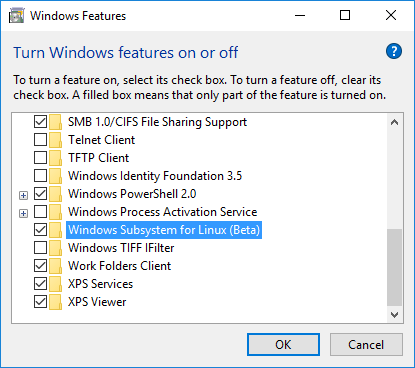
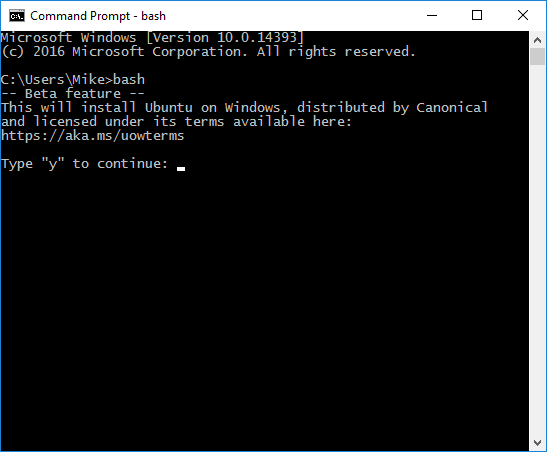
- Runs in Bash/Ubuntu: Ansible (in part because of this)
In this setup, I’m using a single Virtualbox VM in default network configuration, whereby Vagrant ends up reporting the host listening on 127.0.0.1 and SSH listening on TCP port 2222. Substitute your actual values as required.
Also note the versions of software I’m currently running:
- Windows 10: Anniversary Update, build 14393.51
- Ansible (*nix version in Bash/Ubuntu/Win10): 1.5.4
- VirtualBox (Windows): 5.0.26
- Vagrant (Windows): 1.8.1
Run the Windows tools from a Windows shell
- C:\> vagrant up
- (or launch a Bash shell with cbwin support: C:\>outbash, then try running /mnt/c/…/Vagrant.exe up from the bash environment)
Start the Virtualbox VMs using Vagrant
- Vagrant (Bash) can’t just do vagrant up where VirtualBox is installed in Windows – it depends on being able to call the VBoxManage binary
- Q: can I trick Bash to call VBoxManage.exe from /mnt/c/Program Files/Oracle/VirtualBox?
- If not, is it worth messing around with Vagrant (Bash)? Or should I relent and try Vagrant (Windows), either using cbwin or just running from a different shell?
- Vagrant (Windows) runs into the fscking rsync problem (as always)
- Fortunately you can disable rsync if you don’t need the sync’d folders
- Disabling the synced_folder requires editing the Vagrantfile to add this in the Vagrant.configure section:
config.vm.synced_folder “.”, “/vagrant”, disabled: true
Setup the inventory for management
- (Optional: generate keys if not already) Run ssh-keygen -t rsa
- (Optional: if you’ve destroyed and re-generated the VM with vagrant destroy/up, wipe out the existing key for the host:port combination by running the following command that is recommended when ssh-copy-id fails): ssh-keygen -f “/home/mike/.ssh/known_hosts” -R [127.0.0.1]:2222
- Run ssh-copy-id vagrant@127.0.0.1 -p 2222 to push the public key to the target VM’s vagrant account
Connect to the VMs using Ansible to test connectivity
- [from Windows] vagrant ssh-config will tell you the IP address and port of your current VM
- [from Bash] ansible all -u vagrant -m ping will check basic Ansible connectivity
- (ansible all -c local -m ping will go even more basic, testing Ansible itself)
Run the playbook
- Run ansible-playbook [playbook_name.yml e.g. playbook.yml] -u vagrant
- If you receive an error like “SSH encountered an unknown error” with details that include “No more authentication methods to try. Permission denied (publickey,password).”, make sure to remember to specify the correct remote user (i.e. one that trusts your SSH key)
- If you receive an error like “stderr: E: Could not open lock file /var/lib/dpkg/lock – open (13: Permission denied)”, make sure your remote user runs with root privilege – e.g. in the [playbook.yml], ensure sudo: true is included
- Issue: if you receive an error like “fatal: [127.0.0.1]: UNREACHABLE! => {“changed”: false, “msg”: “Failed to connect to the host via ssh.”, “unreachable”: true}”, check that your SSH keys are trusted by the remote user you’re using (e.g. “-u vagrant” may not have the SSH keys already trusted)
- If you wish to target a subset of servers in your inventory (e.g. using one or more groups), add the “-l” parameter and name the inventory group, IP address or hostname you wish to target
e.g. ansible-playbook playbook.yml -u vagrant -l test-web
or ansible-playbook playbook.yml -u vagrant -l 127.0.0.1
Protip: remote_user
If you want to stop having to add -u vagrant to all the fun ansible commands, then go to your /etc/ansible/ansible.cfg file and add remote_user = vagrant in the appropriate location.
Rabbit Hole Details for the Pedantically-Inclined

Great Related Lesson: know the difference between vagrant commands
- Run vagrant ssh to connect to the VM [note: requires an SSH app installed in Windows, under this setup]
- Run vagrant status to check what state the VM is in
- Run vagrant reload to restart the VM
- Run vagrant halt to stop the VM
- Run vagrant destroy to wipe the VM
Ansible’s RSA issue when SSH’ing into a non-configured remote user
- The following issue occurs when running ansible commands to a remote SSH target
e.g. ansible all -m ping
- This occurs even when the following commands succeed:
- ansible -c local all -m ping
- ssh vagrant@host.name [port #]
- ssh-copy-id -p [port #] vagrant@host.name
- Also note: prefixing with “sudo” doesn’t seem to help – just switches whose local keys you’re using
- I spent the better part of a few hours (spaced over two days, due to rage quit) troubleshooting this situation
- Troubleshooting this is challenging to say the least, as ansible doesn’t intelligently hint at the source of the problem, even though this must be a well-known issue
- There’s nothing in the debug output of ssh/(openssl?) that indicates that there are no trusted SSH keys in the account of the currently-used remote user
- Nor is it clear which remote user is being impersonated – sure, I’ll bet someone that fights with SSH & OpenSSL all day would have noticed the subtle hints, but for those of us just trying to get a job done, it’s like looking through foggy glass
- Solution: remember to configure the remote user under which you’re connecting (i.e. a user with the correct permissions *and* who trusts the SSH keys in use)
- Solution A: add the -u vagrant parameter
- Solution B: specify remote_user = vagrant in the ansible.cfg file under [defaults]
mike@MIKE-WIN10-SSD:~/code/ansible-role-unattended-upgrades$ ansible-playbook role.yml -vvvv

PLAY [all] ********************************************************************

GATHERING FACTS ***************************************************************
<127.0.0.1> ESTABLISH CONNECTION FOR USER: mike
<127.0.0.1> REMOTE_MODULE setup
<127.0.0.1> EXEC ['ssh', '-C', '-tt', '-vvv', '-o', 'ControlMaster=auto', '-o', 'ControlPersist=60s', '-o', 'ControlPath=/home/mike/.ansible/cp/ansible-ssh-%h-%p-%r', '-o', 'Port=2222', '-o', 'KbdInteractiveAuthentication=no', '-o', 'PreferredAuthentications=gssapi-with-mic,gssapi-keyex,hostbased,publickey', '-o', 'PasswordAuthentication=no', '-o', 'ConnectTimeout=10', '127.0.0.1', "/bin/sh -c 'mkdir -p $HOME/.ansible/tmp/ansible-tmp-1471378875.79-237810336673832 && chmod a+rx $HOME/.ansible/tmp/ansible-tmp-1471378875.79-237810336673832 && echo $HOME/.ansible/tmp/ansible-tmp-1471378875.79-237810336673832'"]
fatal: [127.0.0.1] => SSH encountered an unknown error. The output was:
OpenSSH_6.6.1, OpenSSL 1.0.1f 6 Jan 2014
debug1: Reading configuration data /etc/ssh/ssh_config
debug1: /etc/ssh/ssh_config line 19: Applying options for *
debug1: auto-mux: Trying existing master
debug1: Control socket "/home/mike/.ansible/cp/ansible-ssh-127.0.0.1-2222-mike" does not exist
debug2: ssh_connect: needpriv 0
debug1: Connecting to 127.0.0.1 [127.0.0.1] port 2222.
debug2: fd 3 setting O_NONBLOCK
debug1: fd 3 clearing O_NONBLOCK
debug1: Connection established.
debug3: timeout: 10000 ms remain after connect
debug3: Incorrect RSA1 identifier
debug3: Could not load "/home/mike/.ssh/id_rsa" as a RSA1 public key
debug1: identity file /home/mike/.ssh/id_rsa type 1
debug1: identity file /home/mike/.ssh/id_rsa-cert type -1
debug1: identity file /home/mike/.ssh/id_dsa type -1
debug1: identity file /home/mike/.ssh/id_dsa-cert type -1
debug1: identity file /home/mike/.ssh/id_ecdsa type -1
debug1: identity file /home/mike/.ssh/id_ecdsa-cert type -1
debug1: identity file /home/mike/.ssh/id_ed25519 type -1
debug1: identity file /home/mike/.ssh/id_ed25519-cert type -1
debug1: Enabling compatibility mode for protocol 2.0
debug1: Local version string SSH-2.0-OpenSSH_6.6.1p1 Ubuntu-2ubuntu2.6
debug1: Remote protocol version 2.0, remote software version OpenSSH_6.7p1 Debian-5+deb8u1
debug1: match: OpenSSH_6.7p1 Debian-5+deb8u1 pat OpenSSH* compat 0x04000000
debug2: fd 3 setting O_NONBLOCK
debug3: put_host_port: [127.0.0.1]:2222
debug3: load_hostkeys: loading entries for host "[127.0.0.1]:2222" from file "/home/mike/.ssh/known_hosts"
debug3: load_hostkeys: found key type ECDSA in file /home/mike/.ssh/known_hosts:2
debug3: load_hostkeys: loaded 1 keys
debug3: order_hostkeyalgs: prefer hostkeyalgs: ecdsa-sha2-nistp256-cert-v01@openssh.com,ecdsa-sha2-nistp384-cert-v01@openssh.com,ecdsa-sha2-nistp521-cert-v01@openssh.com,ecdsa-sha2-nistp256,ecdsa-sha2-nistp384,ecdsa-sha2-nistp521
debug1: SSH2_MSG_KEXINIT sent
debug1: SSH2_MSG_KEXINIT received
debug2: kex_parse_kexinit: curve25519-sha256@libssh.org,ecdh-sha2-nistp256,ecdh-sha2-nistp384,ecdh-sha2-nistp521,diffie-hellman-group-exchange-sha256,diffie-hellman-group-exchange-sha1,diffie-hellman-group14-sha1,diffie-hellman-group1-sha1
debug2: kex_parse_kexinit: ecdsa-sha2-nistp256-cert-v01@openssh.com,ecdsa-sha2-nistp384-cert-v01@openssh.com,ecdsa-sha2-nistp521-cert-v01@openssh.com,ecdsa-sha2-nistp256,ecdsa-sha2-nistp384,ecdsa-sha2-nistp521,ssh-ed25519-cert-v01@openssh.com,ssh-rsa-cert-v01@openssh.com,ssh-dss-cert-v01@openssh.com,ssh-rsa-cert-v00@openssh.com,ssh-dss-cert-v00@openssh.com,ssh-ed25519,ssh-rsa,ssh-dss
debug2: kex_parse_kexinit: aes128-ctr,aes192-ctr,aes256-ctr,arcfour256,arcfour128,aes128-gcm@openssh.com,aes256-gcm@openssh.com,chacha20-poly1305@openssh.com,aes128-cbc,3des-cbc,blowfish-cbc,cast128-cbc,aes192-cbc,aes256-cbc,arcfour,rijndael-cbc@lysator.liu.se
debug2: kex_parse_kexinit: aes128-ctr,aes192-ctr,aes256-ctr,arcfour256,arcfour128,aes128-gcm@openssh.com,aes256-gcm@openssh.com,chacha20-poly1305@openssh.com,aes128-cbc,3des-cbc,blowfish-cbc,cast128-cbc,aes192-cbc,aes256-cbc,arcfour,rijndael-cbc@lysator.liu.se
debug2: kex_parse_kexinit: hmac-md5-etm@openssh.com,hmac-sha1-etm@openssh.com,umac-64-etm@openssh.com,umac-128-etm@openssh.com,hmac-sha2-256-etm@openssh.com,hmac-sha2-512-etm@openssh.com,hmac-ripemd160-etm@openssh.com,hmac-sha1-96-etm@openssh.com,hmac-md5-96-etm@openssh.com,hmac-md5,hmac-sha1,umac-64@openssh.com,umac-128@openssh.com,hmac-sha2-256,hmac-sha2-512,hmac-ripemd160,hmac-ripemd160@openssh.com,hmac-sha1-96,hmac-md5-96
debug2: kex_parse_kexinit: hmac-md5-etm@openssh.com,hmac-sha1-etm@openssh.com,umac-64-etm@openssh.com,umac-128-etm@openssh.com,hmac-sha2-256-etm@openssh.com,hmac-sha2-512-etm@openssh.com,hmac-ripemd160-etm@openssh.com,hmac-sha1-96-etm@openssh.com,hmac-md5-96-etm@openssh.com,hmac-md5,hmac-sha1,umac-64@openssh.com,umac-128@openssh.com,hmac-sha2-256,hmac-sha2-512,hmac-ripemd160,hmac-ripemd160@openssh.com,hmac-sha1-96,hmac-md5-96
debug2: kex_parse_kexinit: zlib@openssh.com,zlib,none
debug2: kex_parse_kexinit: zlib@openssh.com,zlib,none
debug2: kex_parse_kexinit:
debug2: kex_parse_kexinit:
debug2: kex_parse_kexinit: first_kex_follows 0
debug2: kex_parse_kexinit: reserved 0
debug2: kex_parse_kexinit: curve25519-sha256@libssh.org,ecdh-sha2-nistp256,ecdh-sha2-nistp384,ecdh-sha2-nistp521,diffie-hellman-group-exchange-sha256,diffie-hellman-group14-sha1
debug2: kex_parse_kexinit: ssh-rsa,ssh-dss,ecdsa-sha2-nistp256,ssh-ed25519
debug2: kex_parse_kexinit: aes128-ctr,aes192-ctr,aes256-ctr,aes128-gcm@openssh.com,aes256-gcm@openssh.com,chacha20-poly1305@openssh.com
debug2: kex_parse_kexinit: aes128-ctr,aes192-ctr,aes256-ctr,aes128-gcm@openssh.com,aes256-gcm@openssh.com,chacha20-poly1305@openssh.com
debug2: kex_parse_kexinit: umac-64-etm@openssh.com,umac-128-etm@openssh.com,hmac-sha2-256-etm@openssh.com,hmac-sha2-512-etm@openssh.com,hmac-sha1-etm@openssh.com,umac-64@openssh.com,umac-128@openssh.com,hmac-sha2-256,hmac-sha2-512,hmac-sha1
debug2: kex_parse_kexinit: umac-64-etm@openssh.com,umac-128-etm@openssh.com,hmac-sha2-256-etm@openssh.com,hmac-sha2-512-etm@openssh.com,hmac-sha1-etm@openssh.com,umac-64@openssh.com,umac-128@openssh.com,hmac-sha2-256,hmac-sha2-512,hmac-sha1
debug2: kex_parse_kexinit: none,zlib@openssh.com
debug2: kex_parse_kexinit: none,zlib@openssh.com
debug2: kex_parse_kexinit:
debug2: kex_parse_kexinit:
debug2: kex_parse_kexinit: first_kex_follows 0
debug2: kex_parse_kexinit: reserved 0
debug2: mac_setup: setup hmac-sha1-etm@openssh.com
debug1: kex: server->client aes128-ctr hmac-sha1-etm@openssh.com zlib@openssh.com
debug2: mac_setup: setup hmac-sha1-etm@openssh.com
debug1: kex: client->server aes128-ctr hmac-sha1-etm@openssh.com zlib@openssh.com
debug1: sending SSH2_MSG_KEX_ECDH_INIT
debug1: expecting SSH2_MSG_KEX_ECDH_REPLY
debug1: Server host key: ECDSA 07:f3:2f:b0:86:b5:b6:2b:d9:f5:26:71:95:6e:d9:ce
debug3: put_host_port: [127.0.0.1]:2222
debug3: put_host_port: [127.0.0.1]:2222
debug3: load_hostkeys: loading entries for host "[127.0.0.1]:2222" from file "/home/mike/.ssh/known_hosts"
debug3: load_hostkeys: found key type ECDSA in file /home/mike/.ssh/known_hosts:2
debug3: load_hostkeys: loaded 1 keys
debug1: Host '[127.0.0.1]:2222' is known and matches the ECDSA host key.
debug1: Found key in /home/mike/.ssh/known_hosts:2
debug1: ssh_ecdsa_verify: signature correct
debug2: kex_derive_keys
debug2: set_newkeys: mode 1
debug1: SSH2_MSG_NEWKEYS sent
debug1: expecting SSH2_MSG_NEWKEYS
debug2: set_newkeys: mode 0
debug1: SSH2_MSG_NEWKEYS received
debug1: SSH2_MSG_SERVICE_REQUEST sent
debug2: service_accept: ssh-userauth
debug1: SSH2_MSG_SERVICE_ACCEPT received
debug2: key: /home/mike/.ssh/id_rsa (0x7fffbdbd5b80),
debug2: key: /home/mike/.ssh/id_dsa ((nil)),
debug2: key: /home/mike/.ssh/id_ecdsa ((nil)),
debug2: key: /home/mike/.ssh/id_ed25519 ((nil)),
debug1: Authentications that can continue: publickey,password
debug3: start over, passed a different list publickey,password
debug3: preferred gssapi-with-mic,gssapi-keyex,hostbased,publickey
debug3: authmethod_lookup publickey
debug3: remaining preferred: ,gssapi-keyex,hostbased,publickey
debug3: authmethod_is_enabled publickey
debug1: Next authentication method: publickey
debug1: Offering RSA public key: /home/mike/.ssh/id_rsa
debug3: send_pubkey_test
debug2: we sent a publickey packet, wait for reply
debug1: Authentications that can continue: publickey,password
debug1: Trying private key: /home/mike/.ssh/id_dsa
debug3: no such identity: /home/mike/.ssh/id_dsa: No such file or directory
debug1: Trying private key: /home/mike/.ssh/id_ecdsa
debug3: no such identity: /home/mike/.ssh/id_ecdsa: No such file or directory
debug1: Trying private key: /home/mike/.ssh/id_ed25519
debug3: no such identity: /home/mike/.ssh/id_ed25519: No such file or directory
debug2: we did not send a packet, disable method
debug1: No more authentication methods to try.
Permission denied (publickey,password).

TASK: [ansible-role-unattended-upgrades | add distribution-specific variables] ***
FATAL: no hosts matched or all hosts have already failed -- aborting

PLAY RECAP ********************************************************************
           to retry, use: --limit @/home/mike/role.retry

127.0.0.1                  : ok=0    changed=0    unreachable=1    failed=0
Ansible’s permissions issue when trying to run non-trivial commands without sudo
- ansible -m ping will work fine without local root permissions, making you think that you might be able to do other ansible operations without sudo
- Haha! You would be wrong, foolish apprentice
- Thus, the SSH keys for enabling ansible to work will have to be (a) generated for the local root user and (b) copied to the remote vagrant user
mike@MIKE-WIN10-SSD:~/code/ansible-role-unattended-upgrades$ ansible-playbook -u vagrant role.yml

PLAY [all] ********************************************************************

GATHERING FACTS ***************************************************************
ok: [127.0.0.1]

TASK: [ansible-role-unattended-upgrades | add distribution-specific variables] ***
ok: [127.0.0.1]

TASK: [ansible-role-unattended-upgrades | install unattended-upgrades] ********
failed: [127.0.0.1] => {"failed": true, "item": ""}
stderr: E: Could not open lock file /var/lib/dpkg/lock - open (13: Permission denied)
E: Unable to lock the administration directory (/var/lib/dpkg/), are you root?

msg: 'apt-get install 'unattended-upgrades' ' failed: E: Could not open lock file /var/lib/dpkg/lock - open (13: Permission denied)
E: Unable to lock the administration directory (/var/lib/dpkg/), are you root?


FATAL: all hosts have already failed -- aborting

PLAY RECAP ********************************************************************
           to retry, use: --limit @/home/mike/role.retry

127.0.0.1                  : ok=2    changed=0    unreachable=0    failed=1
Articles I reviewed while doing the work outlined here
https://www.digitalocean.com/community/tutorials/how-to-set-up-ssh-keys–2
http://blog.publysher.nl/2013/07/infra-as-repo-using-vagrant-and-salt.html
https://github.com/devopsgroup-io/vagrant-digitalocean
https://github.com/mitchellh/vagrant/issues/4073
http://stackoverflow.com/questions/23337312/how-do-i-use-rsync-shared-folders-in-vagrant-on-windows
https://github.com/mitchellh/vagrant/issues/3230
https://www.vagrantup.com/docs/synced-folders/basic_usage.html
http://docs.ansible.com/ansible/intro_inventory.html
http://stackoverflow.com/questions/36932952/ansible-unable-to-connect-to-aws-ec2-instance
http://serverfault.com/questions/649659/ansible-try-to-ping-connection-between-localhost-and-remote-server
http://stackoverflow.com/questions/22232509/vagrant-provision-works-but-i-cannot-send-an-ad-hoc-command-with-ansible
http://stackoverflow.com/questions/21670747/what-user-will-ansible-run-my-commands-as#21680256


 The rattled cough of a Hyper-Empathetic PM