
Our DevOps instructor Dan asked us to host a static HelloWorld page in S3. After last week’s over-scoped tutorial, I started digging around in the properties of an S3 bucket, and discovered it was staring me in the face (if only I’d stared back).
Somehow I’d foolishly gotten into the groove of AWS tutorials and assumed if I found official content, that must be the most well-constructed approach based on the minimal needs of most of their audience, so I didn’t question the complexity and poorly-constructed lessons until long after I was committed to see it through. [Thankfully I was able to figure out at least one successful path through those vagaries, or else I’d probably still be stubborn-through-seething and trying to debug the black box that are IAM policy attachments.]
Starting Small: S3 bucket and nothing else
Create Bucket
- Go to the S3 console (get an AWS account if you don’t already have one)
- Click on Create Bucket, give it a unique name and click Create
Modify the bucket-level Permissions
- Select the new bucket and click Properties
- Expand the Permissions section, click Add more permissions
- In the Grantee selector, choose Everyone
- check the List checkbox
- click Save
Enable static website hosting
- In the Bucket Properties, expand the Static Website Hosting section
- Select enable website hosting
- In the Index Document textbox, enter your favoured homepage name (e.g. index.html)
- click Save
Upload your web content
- In the Actions button (on the top-left of the page), select Upload
- Click Add files, select a simple HTML file, and click Start Upload
- If you don’t have a suitable HTML file, copy the following to a text editor on your computer and save it (e.g. as helloworld.html)
<!DOCTYPE html PUBLIC "-//W3C//DTD HTML 4.01 Transitional//EN" "http://www.w3.org/TR/html4/loose.dtd"> <html> <head> <title>Hello, World!</title> <style> body { color: #ffffff; background-color: #0188cc; font-family: Arial, sans-serif; font-size:14px; } </style> </head> <body>Hello, World!
</body> </html>You have successfully uploaded a static web page to AWS S3
- If you don’t have a suitable HTML file, copy the following to a text editor on your computer and save it (e.g. as helloworld.html)
Modify the content-level Permissions
- Select the newly-uploaded file, then click Properties
- expand the Permissions section and click Add more permissions
- In the Grantee selector, choose Everyone
- check the Open/Download checkbox and click Save
Now to confirm that your web page is available to web users, find the Link in the Properties for the file and click it – here’s my test file:
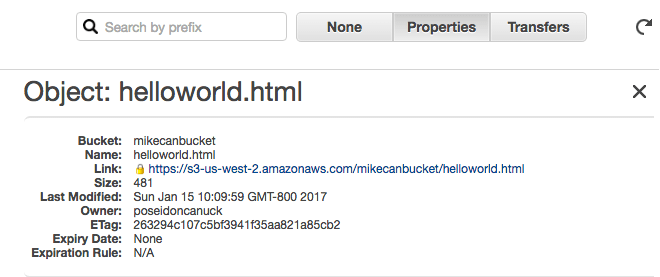
If you’ve done everything correctly, you should see something like this:

If one or more of the Permissions aren’t correct, you’ll see this (or at least, that’s what I’m getting in Chrome):
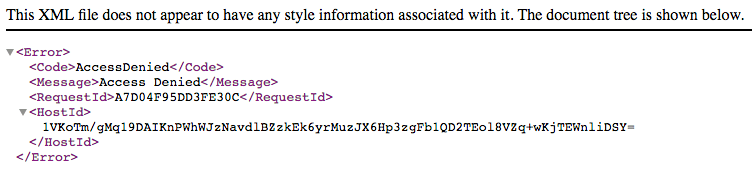
 The rattled cough of a Hyper-Empathetic PM
One thought on “AWS wrangling, round 3: simplest possible, manually-configured static website”